In today’s digital landscape, businesses need to streamline their customer interactions and membership management more than ever. If you’re looking to enhance customer engagement and simplify membership management, transforming your WordPress site into a CRM membership portal can be a game changer. By integrating CRM functionalities with WordPress, you can efficiently manage your members, track interactions, and deliver a personalized experience to each user.
WordPress isn’t just a content management system (CMS) — it’s a platform that, with the right plugins and integrations, can serve as your business’s CRM and membership management hub. In this guide, we’ll explore how you can transform your WordPress site into a CRM membership portal, the plugins you’ll need, and the best practices for optimizing these features to enhance customer engagement and business operations.

Get Connected To us and Take your business to the next level.
Our highly experienced tech development team is one call away from you!
Why Convert Your WordPress Site into a WordPress CRM Membership Portal?
The importance of customer relationship management (CRM) in modern business is undeniable. CRMs help businesses maintain strong relationships with customers, track interactions, automate communications, and personalize experiences. By turning your WordPress website into a CRM membership portal, you can consolidate these tools into a single platform, streamlining your workflow and increasing efficiency.
Key Benefits of Converting Website into a WordPress CRM membership Portal:
- Centralized Customer Management: With the integration of a CRM system, you can store customer data, track memberships, and monitor interactions all in one place.
- Automated Engagement: Automation of customer interactions, such as welcome emails and follow-ups, saves time and boosts member engagement.
- Personalized Member Experience: CRM data allows you to tailor content and offers to specific members, enhancing satisfaction and loyalty.
- Scalability: WordPress, combined with CRM tools, scales with your business, ensuring seamless growth as your customer base expands.
- Secure Payment and Access Control: Control subscriptions, manage payments, and protect member-only content from unauthorized access.
GET IN TOUCH WITH OUR TEAM
Schedule a Meeting
Essential Features of a WordPress CRM membership Portal
When building a CRM membership portal on WordPress, several key features will ensure smooth operation and an engaging user experience. Here are the essential features you should implement:
1. User Registration and Profile Management
Allow members to register, manage their profiles, and update their contact information easily. WordPress combined with CRM tools will allow you to track members’ data like subscription plans, interactions, and behavior.
2. Automated Member Onboarding
Onboarding new members can be time-consuming, but with CRM automation, you can streamline this process by sending welcome emails, introducing members to the portal, and offering tailored content from the start.
3. Subscription and Payment Integration
Integrating a CRM with your membership plugin helps automate subscription management, invoicing, and payment processing. Plugins like Stripe or PayPal, integrated with WordPress, allow secure payment transactions.
4. Member Segmentation and Targeted Communication
With a CRM integrated into WordPress, you can segment members by interests, activities, or subscription tiers. This allows for targeted communication, such as personalized emails, special offers, and exclusive content.
5. Content Protection and Access Control
One of the most important aspects of a membership site is controlling who accesses what content. WordPress plugins for content protection can be integrated with your CRM system to manage membership access based on subscription status.
Get Connected To us and Take your business to the next level.
Our highly experienced tech development team is one call away from you!
Best WordPress Plugins for Creating a WordPress CRM membership Portal
To turn your WordPress website into a CRM membership portal, you’ll need the right set of plugins. Here are some of the best WordPress plugins to help you get started:
1. MemberPress
MemberPress is one of the most powerful plugins for creating membership sites on WordPress. It allows you to control who accesses your content, manage subscriptions, and integrate with payment gateways such as PayPal and Stripe. Paired with a CRM system, it helps centralize member management and automate email communications.

Key Features:
- Control membership access and premium content
- Subscription and payment management
- Reporting and analytics tools for better insights
2. WP ERP
WP ERP is an all-in-one CRM plugin that transforms your WordPress site into a customer management system. It allows you to handle member data, automate workflows, and track interactions—all within your WordPress dashboard.
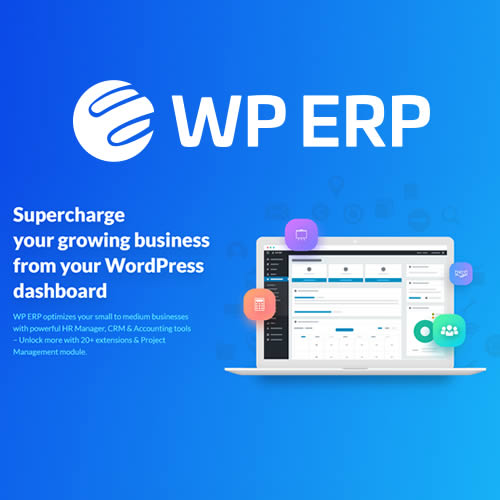
Key Features:
- Full CRM functionality
- Member management tools and detailed reporting
- Integration with third-party tools for enhanced functionality
3. Ultimate Member
Ultimate Member is a user-friendly WordPress plugin that lets you create beautiful member profiles and manage user access. With additional CRM extensions, it can help you build a personalized experience for your members.
Key Features:
- Customizable user registration and profiles
- Role and content access management
- Extensions for enhanced CRM capabilities
4. HubSpot for WordPress
HubSpot is one of the most popular CRM tools available. With its integration on WordPress, you can capture leads, automate emails, and track customer interactions—all while managing your website from a single platform.
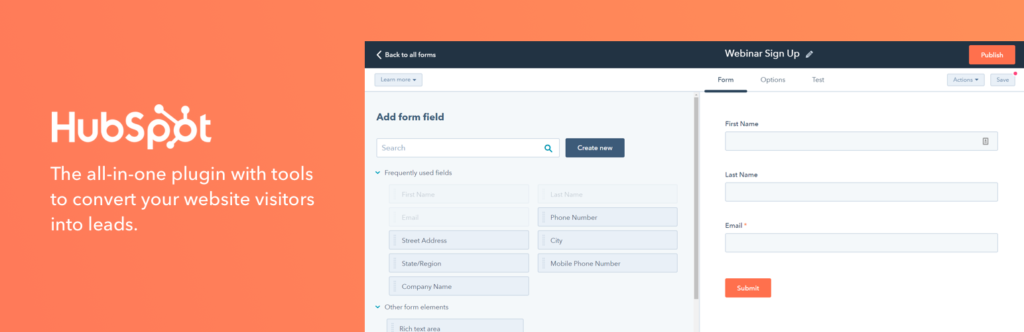
Key Features:
- Lead capture forms and CRM management
- Email marketing automation
- Detailed analytics and insights
How to Set Up Your WordPress CRM membership Portal
Here’s a step-by-step guide to help you turn your WordPress site into a CRM membership portal:
Step 1: Install Your Membership Plugin
Choose a membership plugin like MemberPress or Ultimate Member and install it on your WordPress site. Configure the settings to allow for member registration, access control, and content protection.
Step 2: Install and Integrate Your CRM Plugin
Install a CRM plugin such as WP ERP or HubSpot for WordPress and configure it to manage member data and interactions. Make sure to integrate it with your membership plugin so that member data is stored and tracked in one central location.
Step 3: Automate Member Onboarding
Set up automated email workflows for welcoming new members, offering discounts, and sending follow-up emails. This step ensures new members feel valued and engaged right from the start.
Step 4: Set Up Payment and Subscription Management
Integrate your chosen payment gateway (e.g., Stripe or PayPal) with your membership plugin to handle payments securely. Configure your CRM to track subscription renewals and send automated reminders.
Step 5: Protect Your Content and Control Access
Use your membership plugin to set up content protection rules. Restrict premium content to paying members and make sure that access to different tiers is controlled according to the user’s subscription level.
Step 6: Test Your System
Before going live, thoroughly test your portal. Ensure the registration process, payment systems, content access, and email automations are working as expected.
Case Studies: Successful Businesses Using WordPress CRM membership Portal
To showcase the success of CRM membership portals on WordPress, here are several businesses that have transformed their operations:
- Gondwana Choirs: Gondwana Choirs integrated Zoho CRM with their WordPress membership portal, reducing administrative workload by three hours daily while improving communication with members.
- Intimacy Coach: An intimacy coach utilized HubSpot CRM and WordPress to launch a custom membership portal, automating member content access and ensuring an efficient membership drive.
- WordPress CRM Integration: Several businesses have successfully integrated CRM tools with WordPress to streamline marketing, lead capture, and customer relationship management.
Conclusion
Transforming your WordPress website into a CRM membership portal can significantly improve your business operations and customer engagement. By using plugins like MemberPress, WP ERP, and HubSpot for WordPress, you can manage customer data, automate workflows, and enhance the user experience all within WordPress.
A CRM membership portal is a valuable tool for businesses of any size, helping you create personalized experiences for members while efficiently managing subscriptions and payments. The plugins and strategies mentioned in this post will help you optimize your WordPress website and create a seamless CRM membership experience.